
Plugins are now in Obso.
They give you one place to use Obso's built-in capabilities and connect the services you already work with. Instead of moving between tabs, copying context, and starting over, you can bring the right tool into the conversation where the work is already happening.
Built-in capabilities and connected services, together
Some plugins are built into Obso. Media Gen helps create and edit images, video, and audio. Documents handles presentations, documents, spreadsheets, and PDFs. Widgets turns information into useful visual experiences, while Research helps investigate the web and build source-backed answers.
Other plugins connect Obso to services such as Gmail, Google Drive, Google Calendar, GitHub, Slack, Notion, and more. You decide which services to connect, and connected services appear first so they are easy to find again.
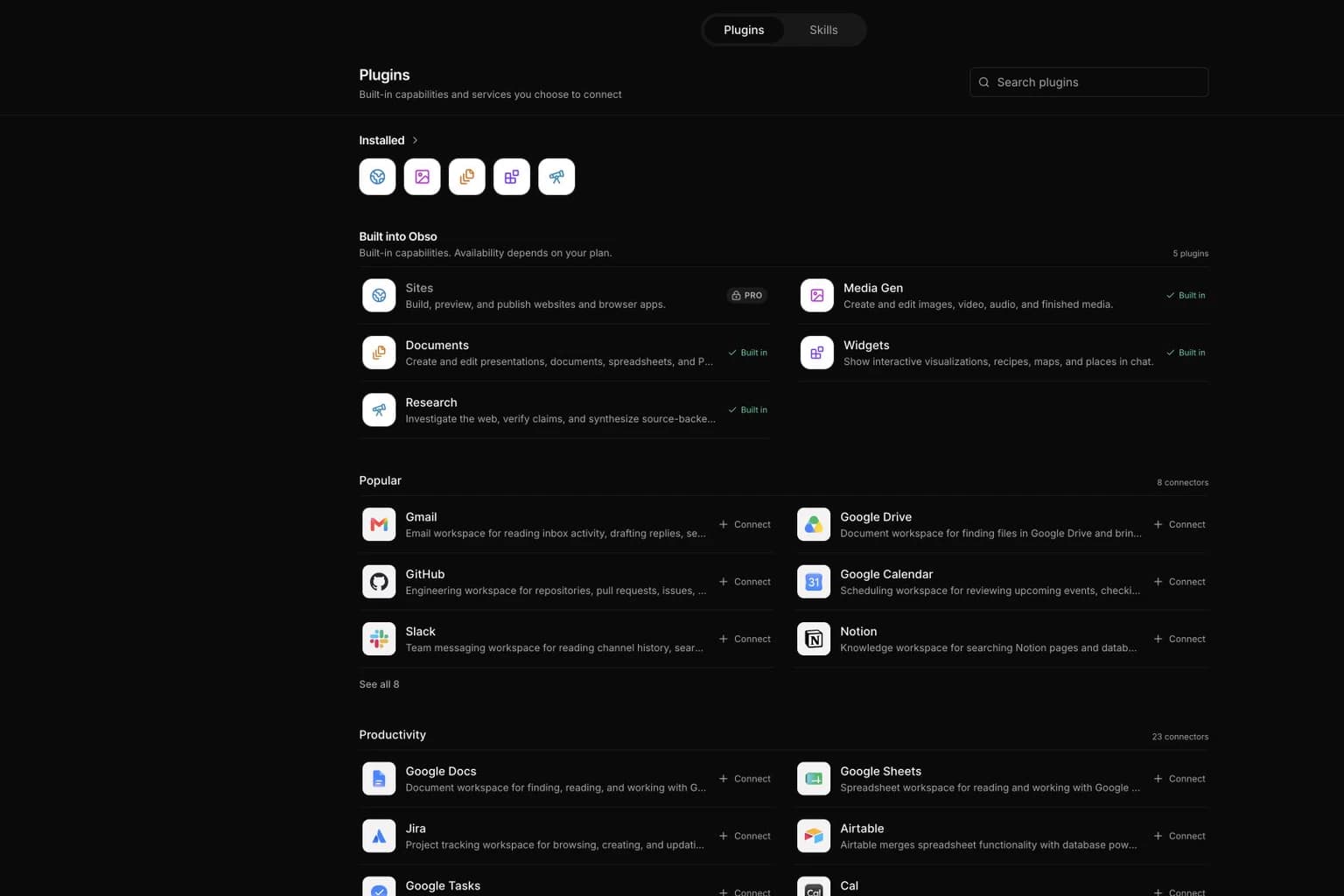
You can browse everything from the new Plugins page. The directory keeps built-in plugins, installed connections, and available services organized instead of mixing them into one long list.
Bring a plugin into the conversation with @
Type @ in the composer to search plugins without leaving your chat. Obso shows your connected services first, followed by built-in capabilities and useful connections you can add.
Choose a connected plugin and it becomes part of the request. Choose a service you have not connected yet and Obso takes you through the connection step first. Sites remains visible for everyone, but building and publishing sites is available on Pro plans.
The result is a clearer message: you can see which plugin is being used before you send it, and the agent receives the right hidden context without making you explain the setup every time.
Connections stay under your control
Nothing connects silently. Services that use sign-in ask you to authorize access, and services that do not require an account still need to be enabled by you. You can review or disconnect them from Plugins and Settings.
Plugin permissions also let you choose how often Obso should pause before an action:
- Always ask before a plugin reads or changes anything.
- Allow read actions without asking, while still approving changes.
- Allow low-risk actions automatically, while sensitive or consequential actions continue to require approval.
This keeps the fast path fast without treating every action as equally safe.
Go beyond reading information
Plugins are designed for work, not just lookup. Depending on what a service supports, Obso can find a Drive file, check a calendar, prepare an email, create an item, or pass an attached file into an action.
The agent discovers the specific action it needs when it needs it instead of loading every tool into every conversation. That keeps context focused while still making the connected service useful for real tasks.
Try Plugins now
Open Plugins, connect one service you already use, then start a chat and type @. Ask for a concrete outcome, such as finding a document before a meeting or drafting a reply from the latest thread.
This is the first version of the new Plugins experience. We will keep adding services, improving write actions, and making it easier for the right capability to appear exactly when you need it.